
Accurate PnL or Meteora PnL
Pool Party shows Accurate PnL: what a position really made once the swaps around it are counted. You can switch back to Meteora's PnL any time in Settings.
PnL settingsWhat Accurate PnL counts
Meteora's PnL values your tokens at the pool's price at the moment they go into a position and the moment they come out. What you actually paid and got can be different:
- The buy before. You often buy the token a moment before you add it, and your own buy moves the price. Accurate PnL uses what you paid.
- The sale after. When a position closes with tokens, you usually sell them straight after, often for less than the pool's price at the close. Accurate PnL uses what the sale brought in.
- Token taxes, network fees and tips on those transactions.
Each closed position shows Accurate PnL, with Meteora's figure beside it when the two differ.

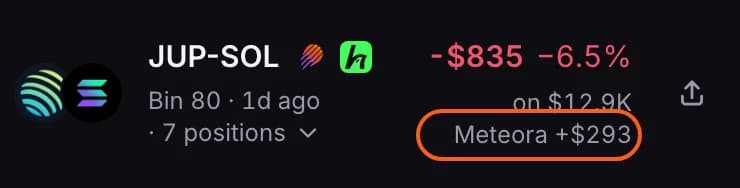
- Accurate PnL is used everywhere PnL from your closed positions appears: the closed list and its totals, Today, 7D and 30D on your profile, the PnL calendar, share cards and Coach Insights.
- A position that can't be measured yet keeps Meteora's figure until it can.
- All-time PnL comes from Meteora's account totals and stays Meteora's.
Switch back to Meteora's PnL
- Open your account menu (your picture, top right) and choose Settings.
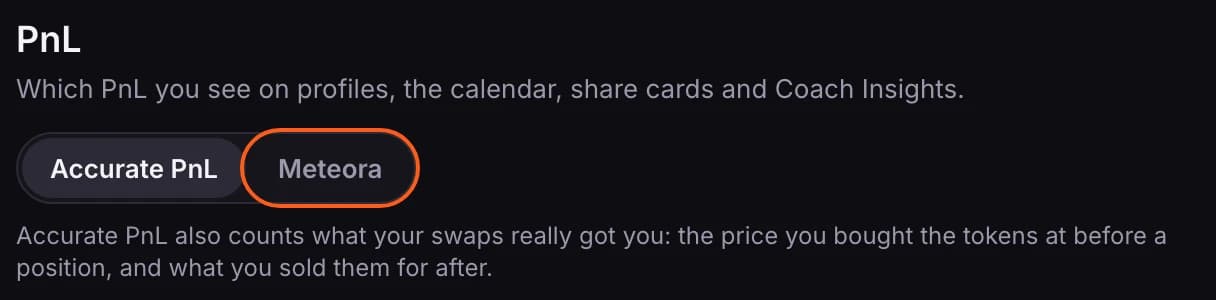
- Under PnL, choose Meteora. It saves straight away.
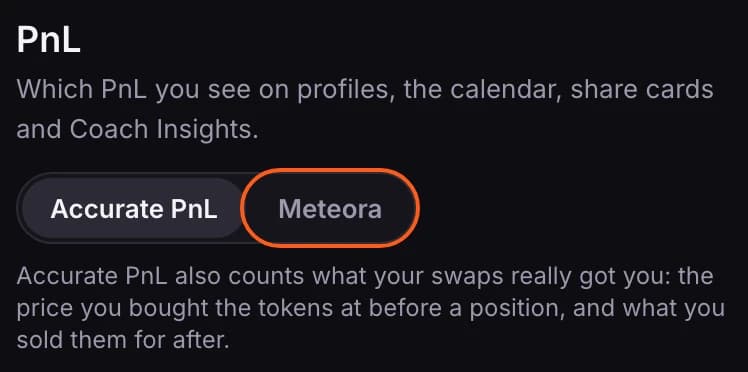
- The choice is yours alone: it changes what you see, on your profile and on everyone else's, not what other members see.
- It follows your account, so it applies on all your devices.
- Choose Accurate PnL again to switch back.