
Your profile and stats
Your profile gathers your Meteora LP results in one place: PnL, open and closed positions, fees, and a calendar of what you closed each day.
Open your profilePortfolio
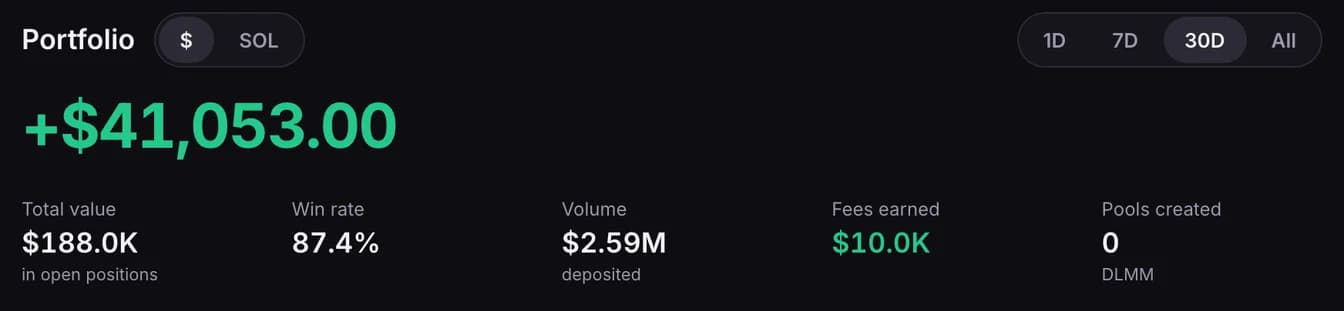
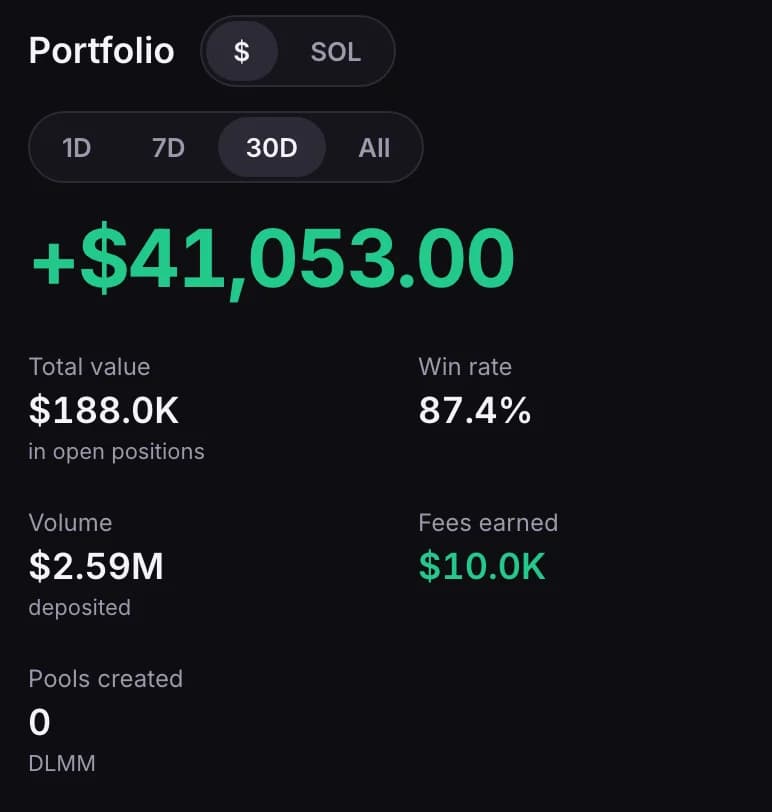
- 1D, 7D, 30D and All set the period. The large number is your PnL over it, from Meteora.
- PnL counts your DLMM positions: the ones you closed in the period, plus the ones still open at what they are worth now. It includes positions run through HawkFi, so it can differ from the figure Meteora shows for your wallet alone.
- $ and SOL, beside the heading, switch every amount on the page between dollars and SOL. The SOL figures are Meteora's own, so a position can be up in one and down in the other.
- Total value is what your open positions are worth now. It doesn't change with the period.
- Win rate is the share of your positions in the period that Meteora counts as wins.
- Volume is the amount you deposited into pools in the period.
- Fees earned counts fees you have claimed and fees still waiting to be claimed.
- Pools created is how many DLMM pools you created in the period. A new pool can take up to 12 hours to be counted, and some older pools aren't.
Open positions
Your positions sit under one Positions heading. Open and Closed switch between the ones you hold now and the ones you have closed; the page starts on Open.
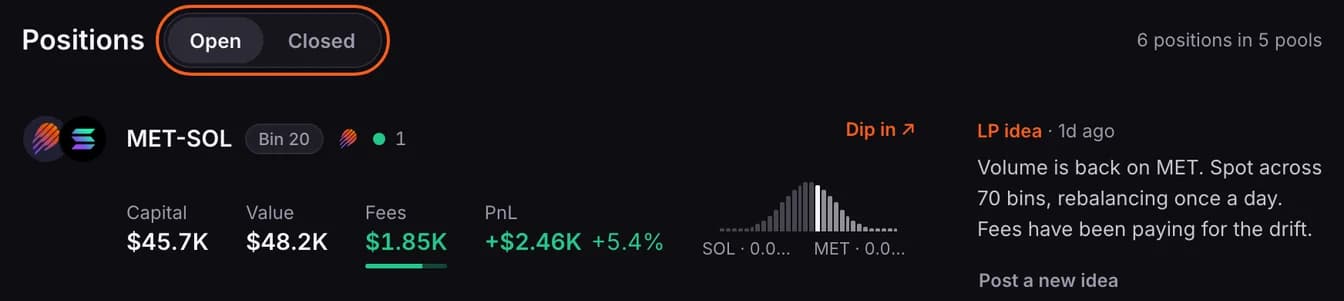
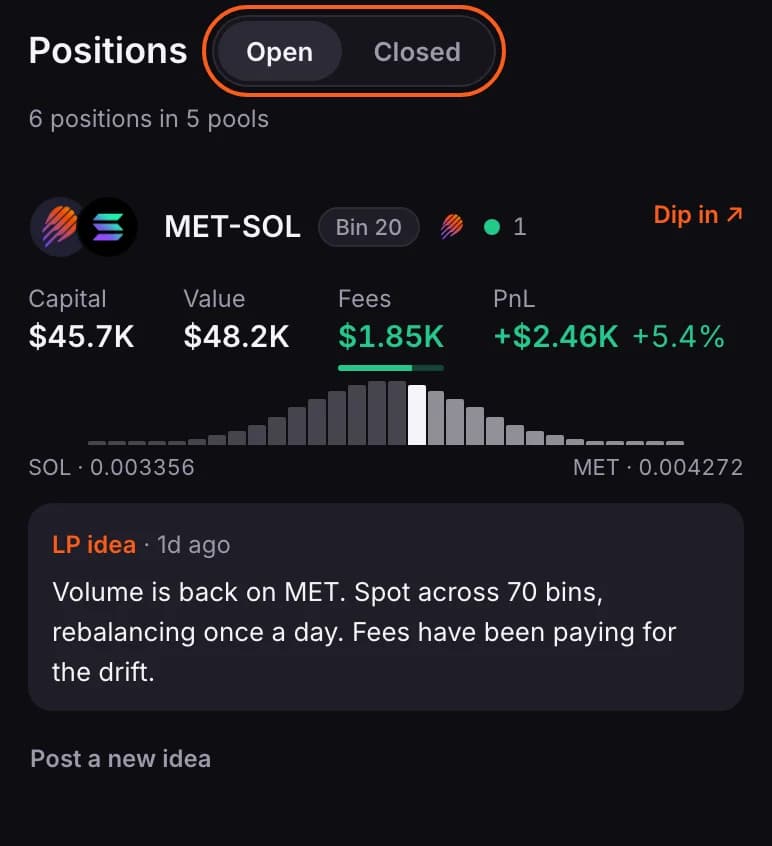
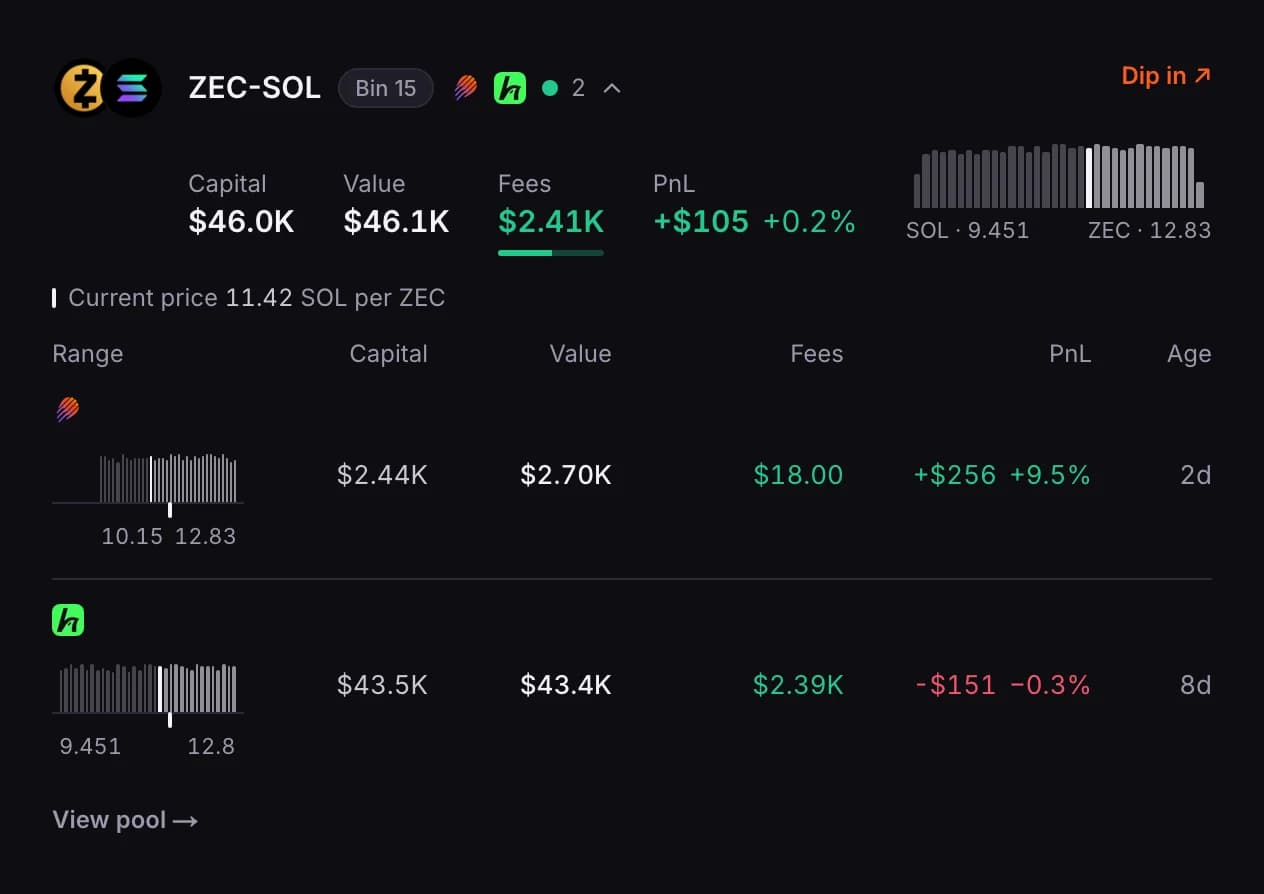
There is one row for each pool you are in. Longer lists show the first 8 pools; press Show all … pools for the rest.
- The logo after the pool's name says where the position is held: on Meteora directly, or run through HawkFi. A pool with both kinds shows both logos.
- The dot and the number beside it are your positions in that pool. The dot is green when all of them are in range, red when none are, and grey when only some are. On a computer, point at the row to read it in words, such as 2 positions · 1/2 in range.
- Capital is what you have put in, less what you have taken out.
- Value is what the position is worth now.
- Fees is everything the position has earned. The bar under it shows how much you have claimed (the solid part) and how much is still waiting (the faint part). On a computer, point at the figure for the two amounts.
- PnL is shown as an amount and as a percentage. The percentage is measured the way Meteora does it, against everything you have deposited into the position, so it can differ from PnL divided by Capital.
- The drawing is the shape of your liquidity across your range, with the lowest and highest price under it. The solid bar is where the price is now. When you are out of range there is no solid bar.
- Your latest LP idea on the pool sits beside the row, or under it on a phone.
When you hold more than one position in a pool, tap the row to see each one.
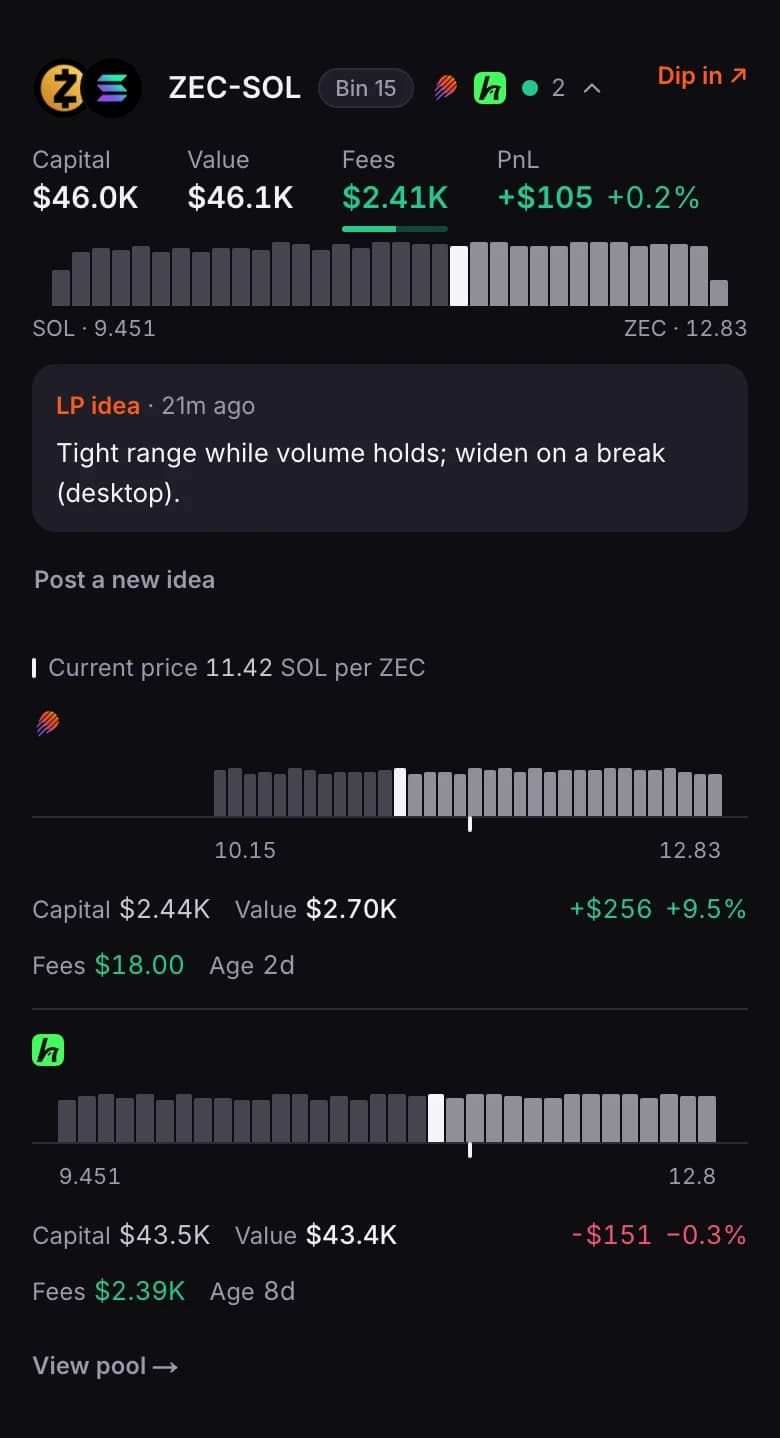
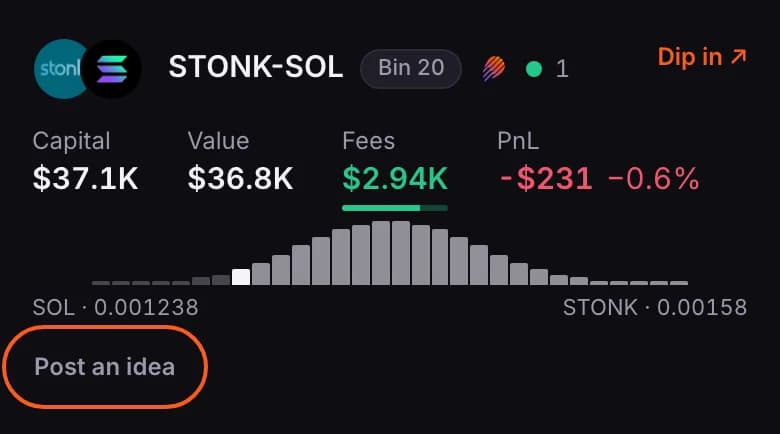
On your own profile, Post an idea beside an open pool lets you write an LP idea for it without leaving the page. More in Share and find LP ideas.

Closed positions
Press Closed to see the positions you have closed, grouped by pool.
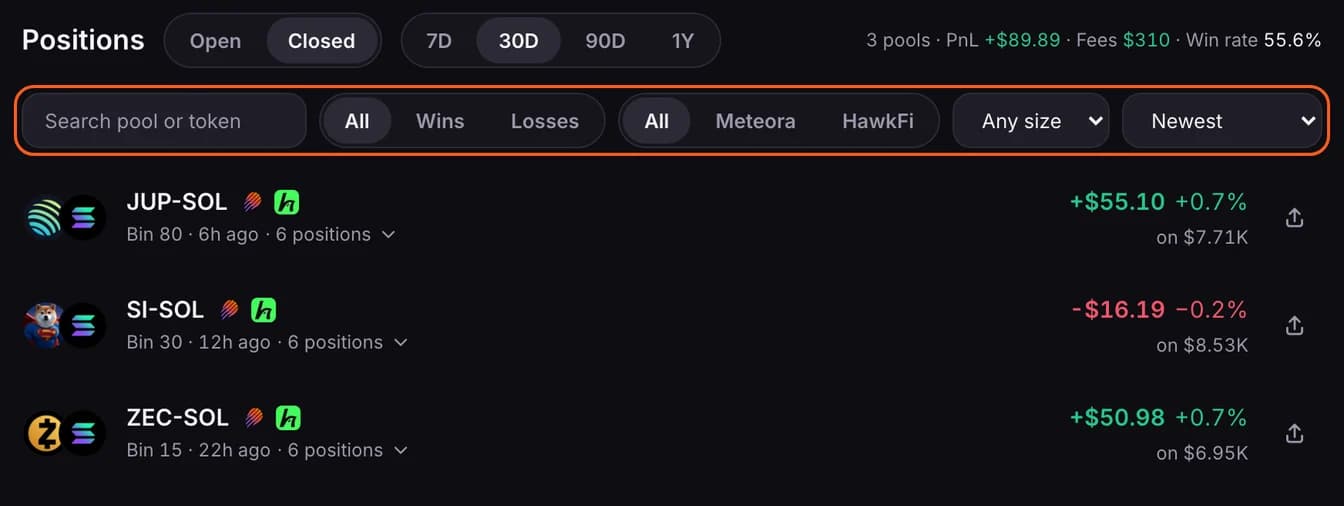
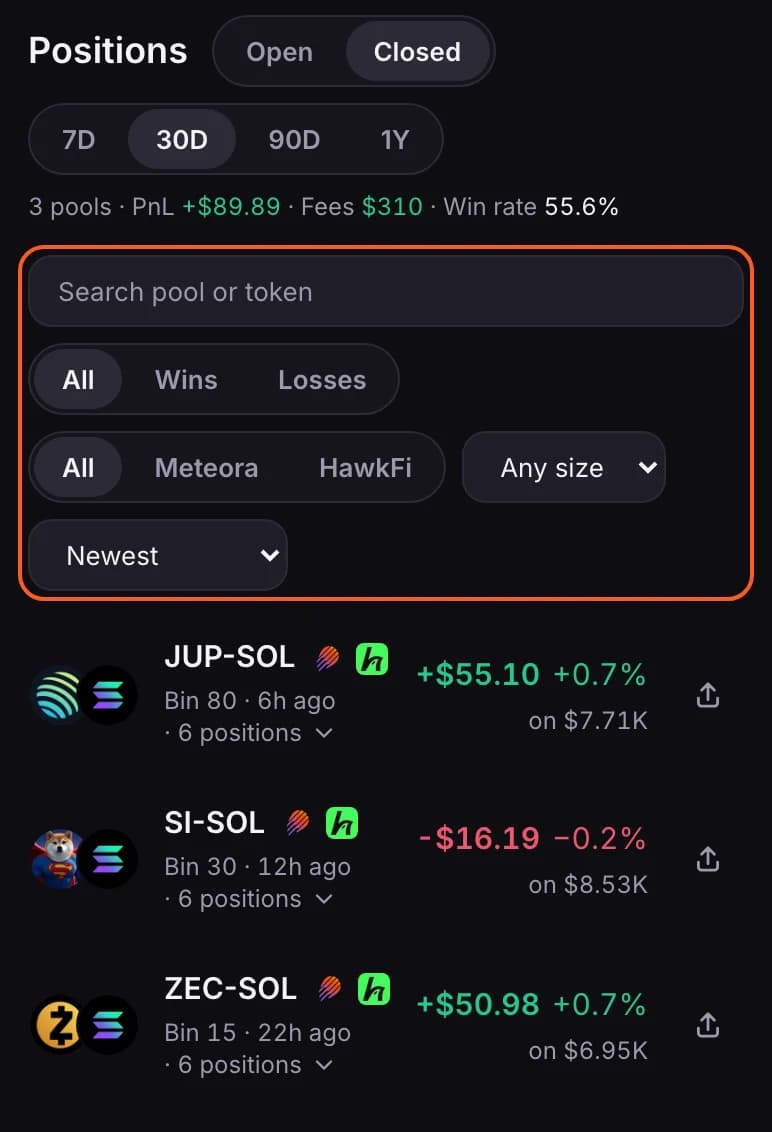
- 7D, 30D, 90D and 1Y set how far back the list goes. It keeps a year of history.
- The line at the top right totals what is listed: pools, PnL, fees and win rate. It follows the period and the filters.
- Search by pool or token, keep only Wins or Losses, keep only positions held on Meteora or run through HawkFi, and set a smallest size. The last menu sorts by newest, biggest PnL, biggest loss, largest size or longest held.
- Each row shows the PnL as an amount and as a percentage. on $… is the capital: what you deposited into those positions. For a position run through HawkFi it is the money you put in yourself, and its PnL is what you took out less what you put in.
- The list loads 10 pools at a time; press Show more (…) for the rest.
- Just after adding a wallet, the list covers the last 30 days without the filters until your closed history has loaded.
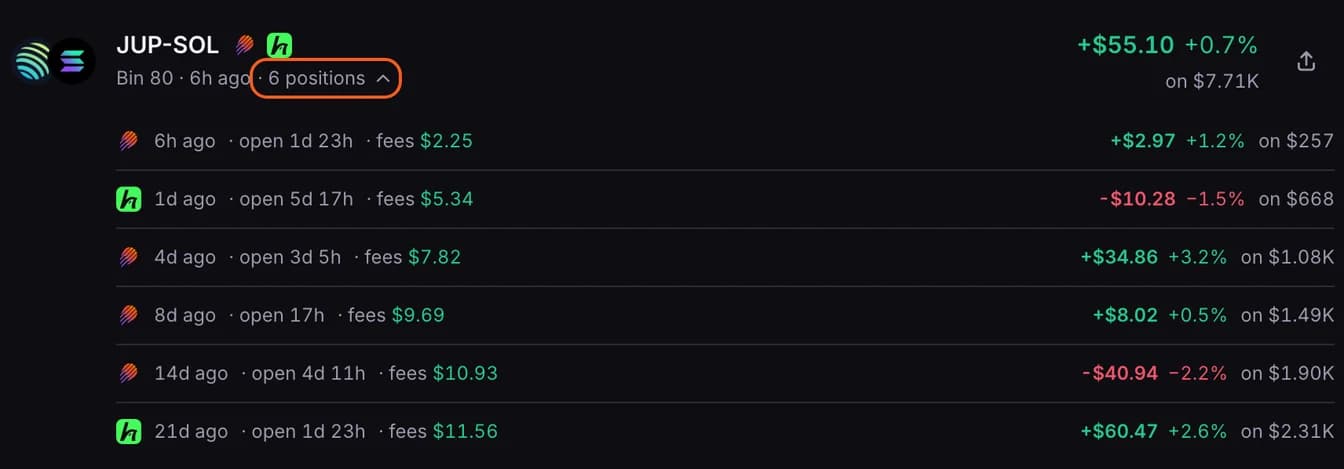
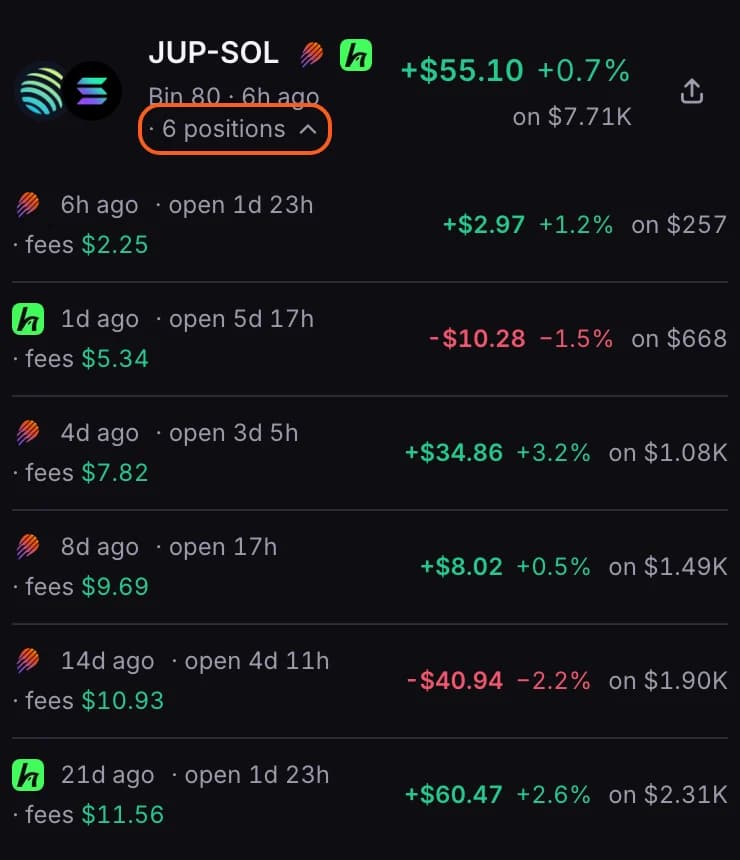
Press … positions under a pool's name to see each position: when it closed, how long it was open, its fees, its PnL and its capital.
Share a closed position
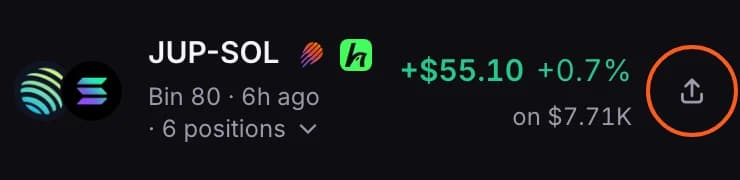
- On your own profile, open Closed and press the share icon at the end of a pool's row.
- When the pool has more than one closed position, choose Whole pool for the total or One position, then pick the position from the list.
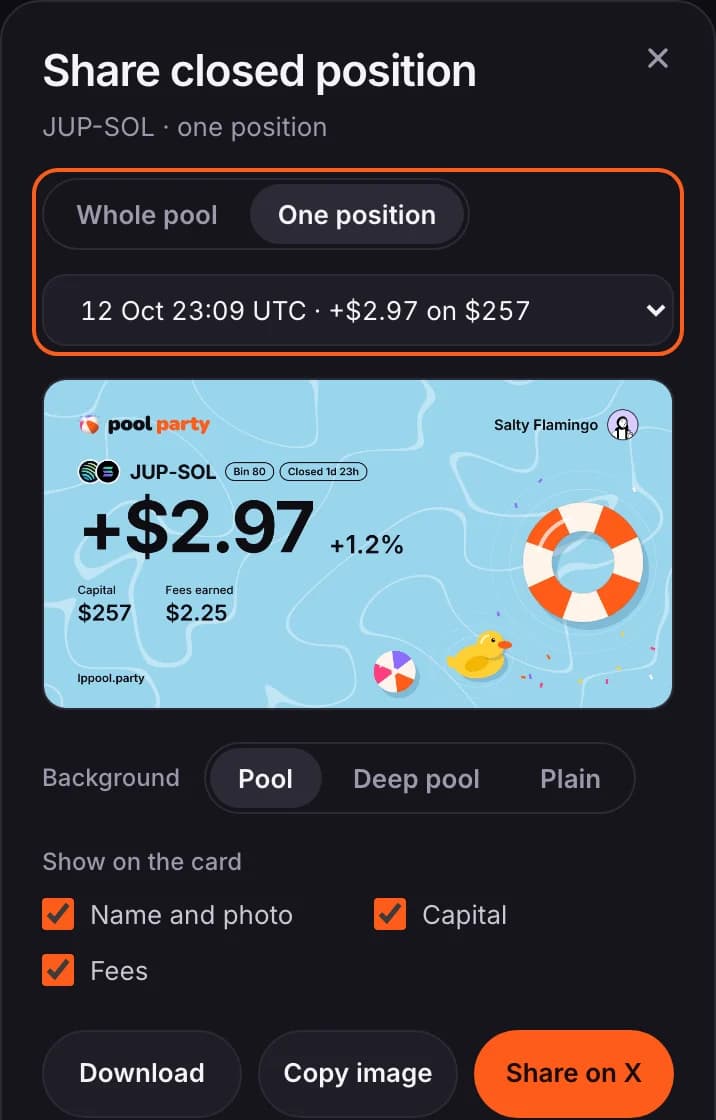
- Press Download PNG (Download on a phone), Copy image or Share on X.

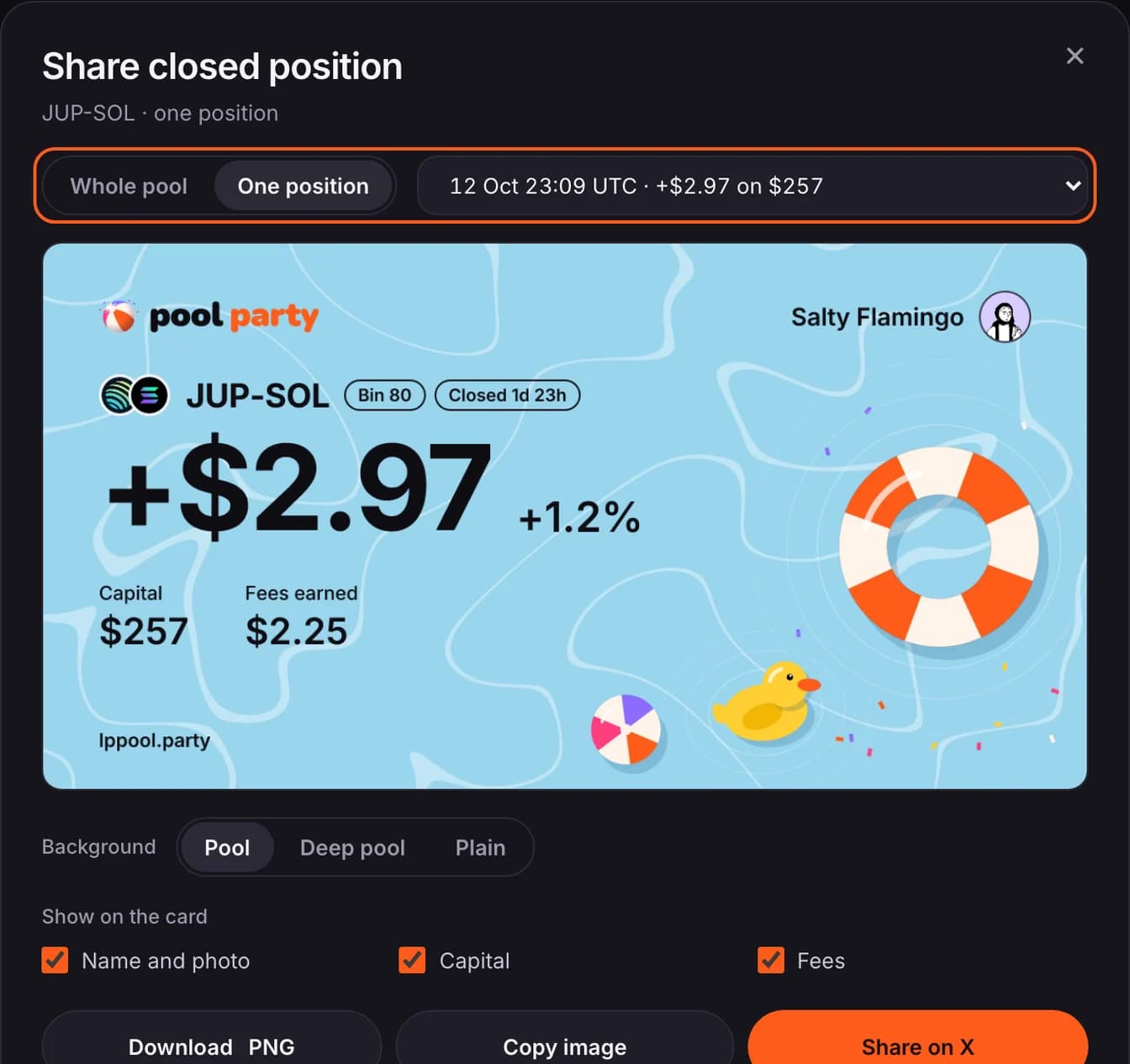
- The list shows when each position closed, its PnL, and what you deposited into it.
- Just after adding a wallet, only the whole pool can be shared until your closed history has loaded.
PnL calendar
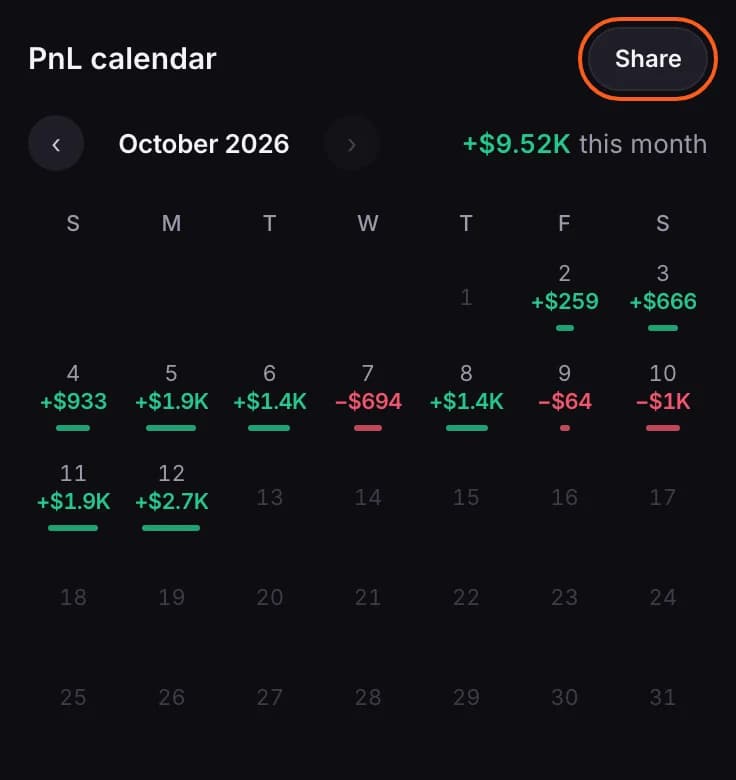
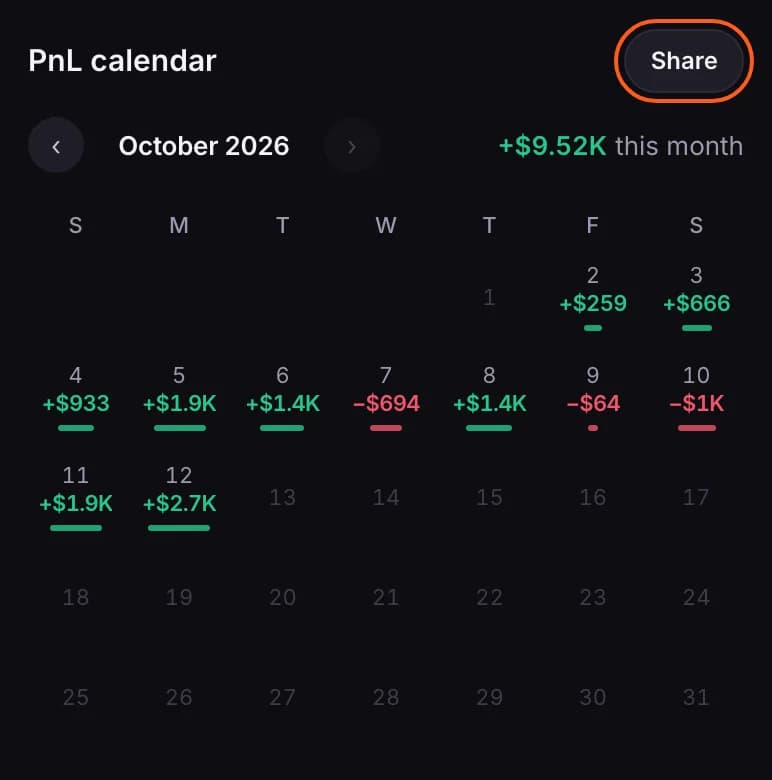
- Each day shows the PnL of the positions you closed that day, green or red.
- The arrows move between months. The figure at the top right is the month's total.
Share a PnL card
- Press Share beside the PnL calendar.
- Pick the period and a background, and tick what the card should show.
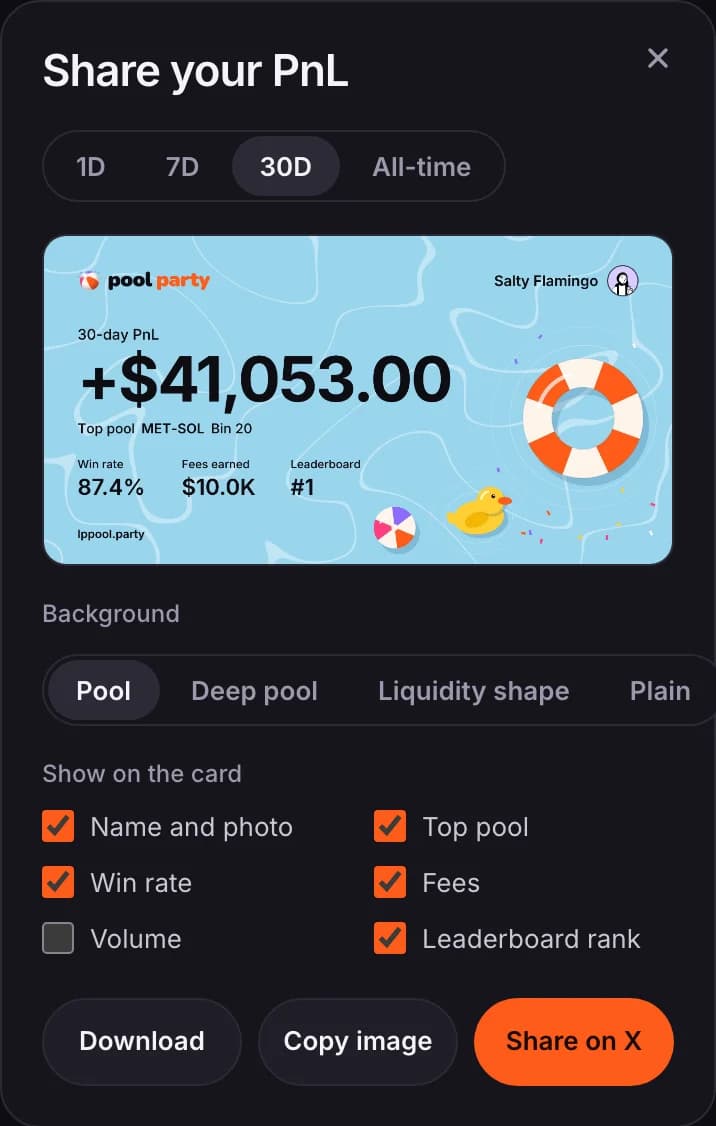
- Press Download PNG (Download on a phone), Copy image or Share on X.
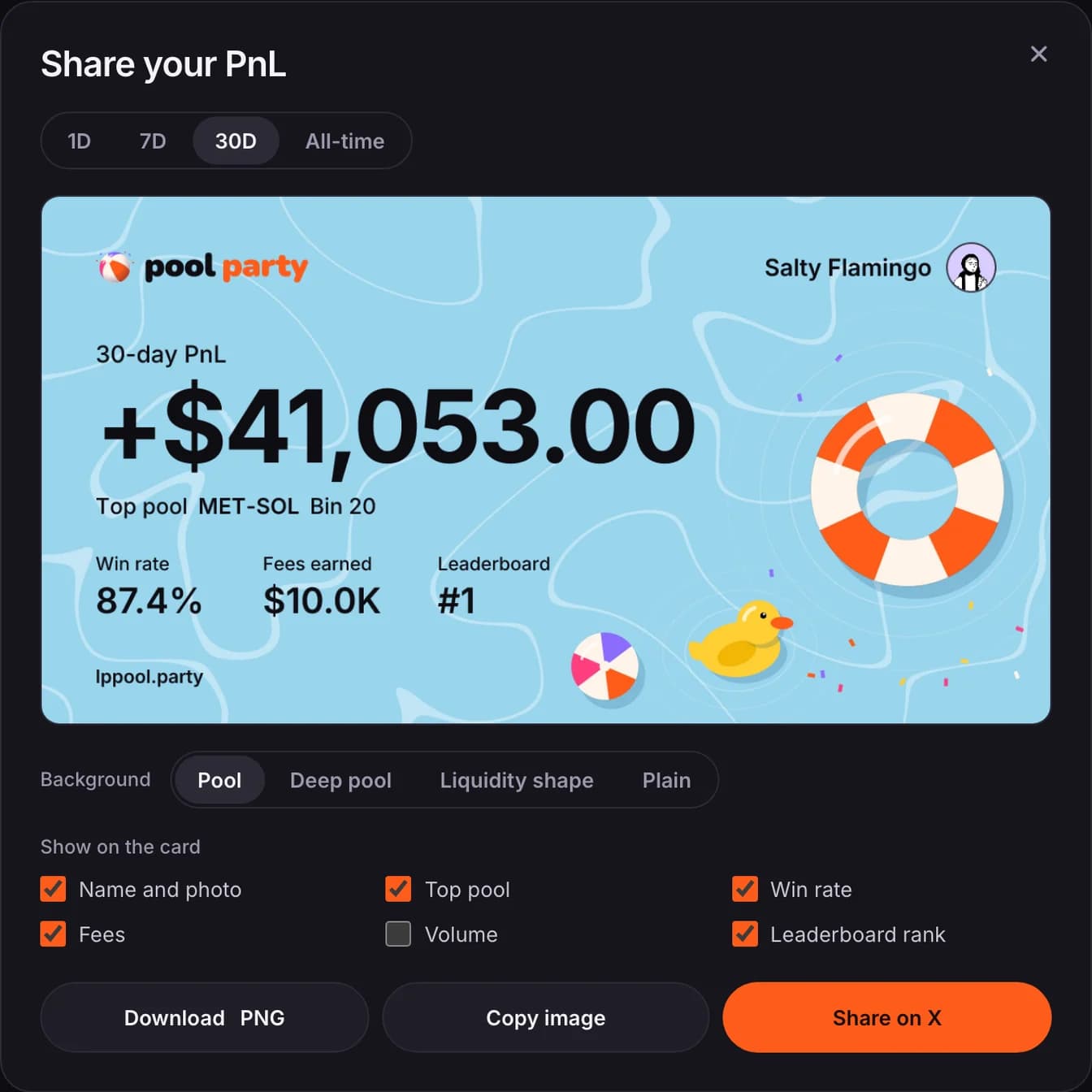
- Share on X opens a post with text and a link to your profile. Attach the image yourself: download or copy it first.
- The card never shows your wallet address.
Your details
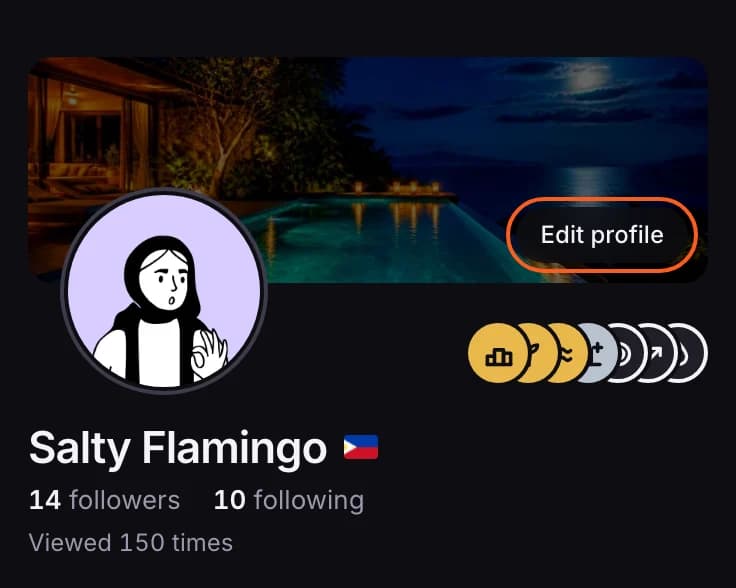
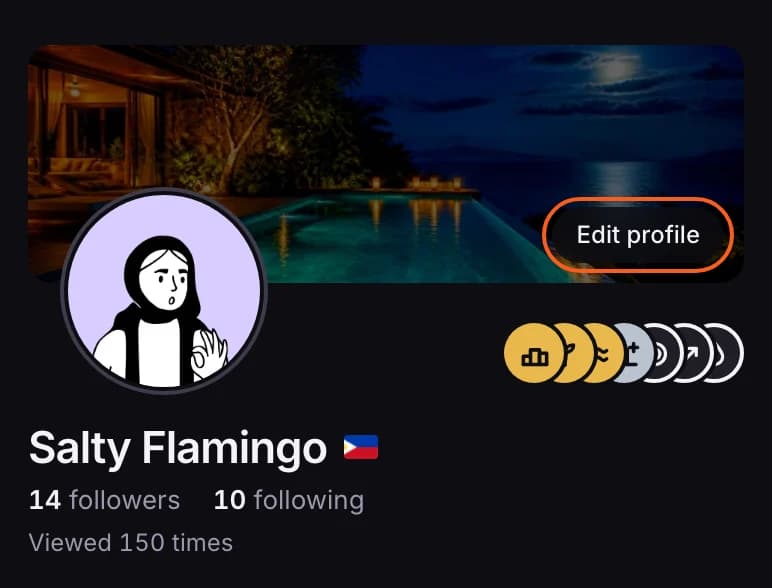
- Edit profile lets you set a banner and your country, and connect or disconnect X. You need a wallet added before you can disconnect X. If you don't use X, you can also set a display name and a photo there.
- Viewed … times counts members who opened your profile, once per member per day. Your own visits don't count, and it never shows who viewed.
- Your badges sit beside your photo.
How fresh the numbers are
- Stats sync from Meteora through the day: about every 15 minutes for members who used Pool Party in the last day, and less often for members who haven't visited lately. Opening your own profile starts a sync straight away.
- The line at the top right says when your stats were last updated. A refresh icon appears beside it once a minute has passed since your last sync; press it to sync again, for example right after opening a position.
- Other members see your position amounts rounded, and never your wallet address. You choose who sees your positions at all: see Choose who sees your positions. Your Portfolio figures and PnL calendar stay visible to members either way.