
Choose who sees your positions
Your open and closed positions can be shown to every member, to no one but you, or only to the members you choose. You can change it whenever you like.
Open SettingsSet who can see them
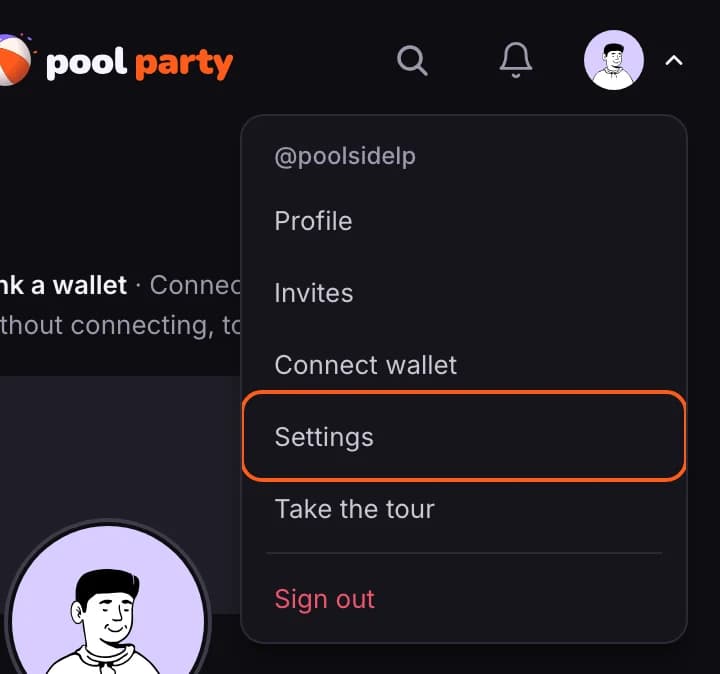
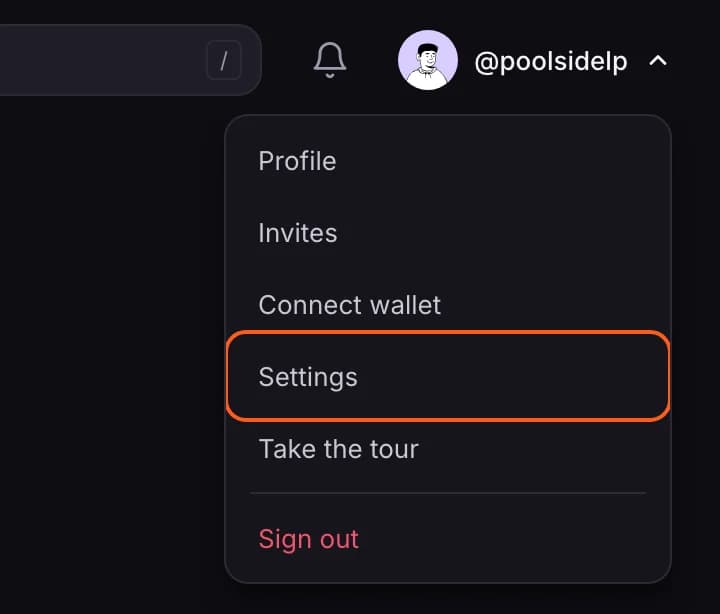
- Open your account menu (your picture, top right) and choose Settings.
- Under Who can see my positions, pick Everyone, Only me or Custom. It saves as you go.
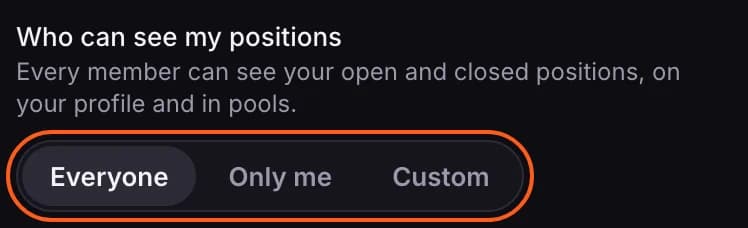

- Everyone: every member can see your open and closed positions, on your profile and in pools.
- Only me: no one else can. Your name is left out of pool member lists, and your opens and closes don't show on Poolside. Your LP ideas, follows and badges still show. On the Pools list you still count in a pool's number of LPs and the value in brackets, without your name. On the pool's own page you are left out of both.
- Custom: only members who meet at least one of the rules you switch on.
Custom: let in the members you choose
Switch on any mix of rules. A member who meets one of them can see your positions; everyone else can't.
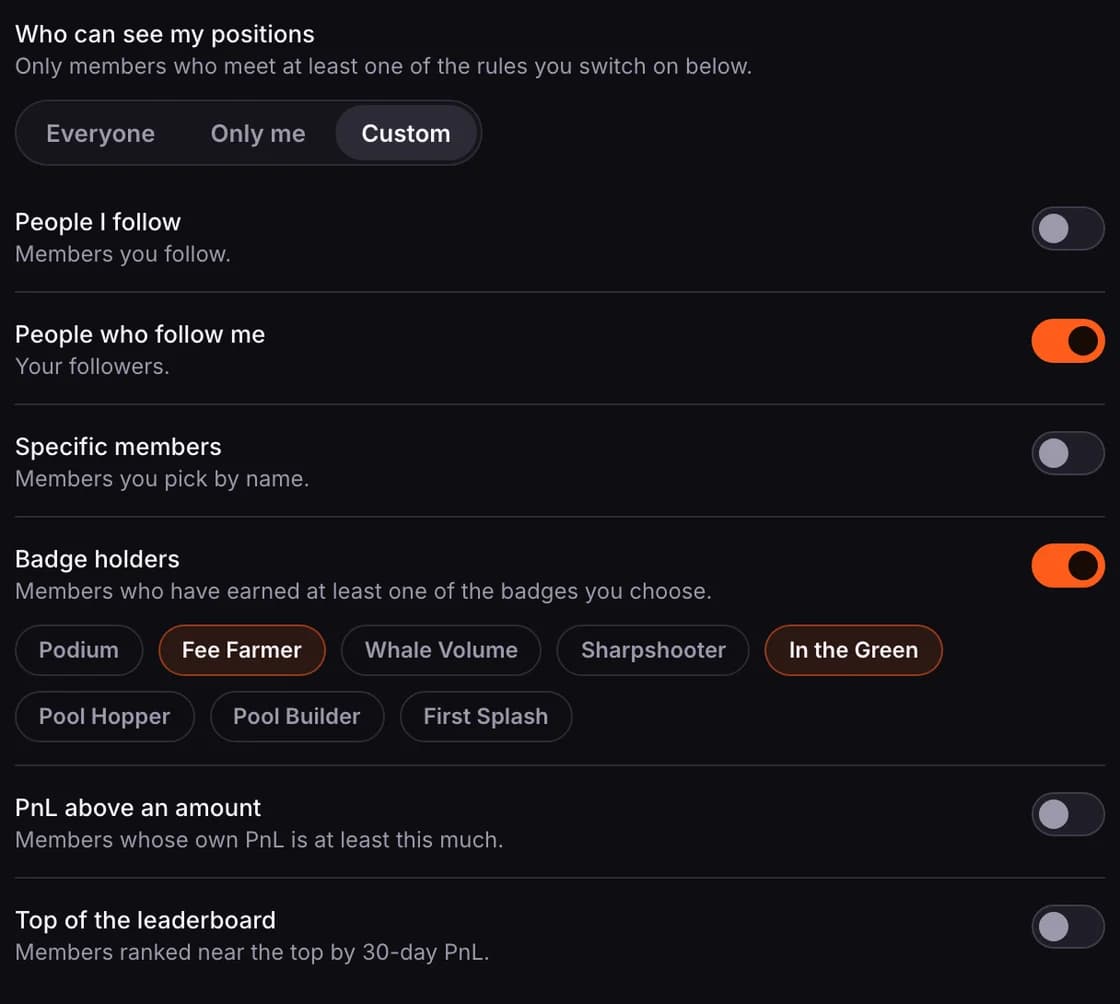
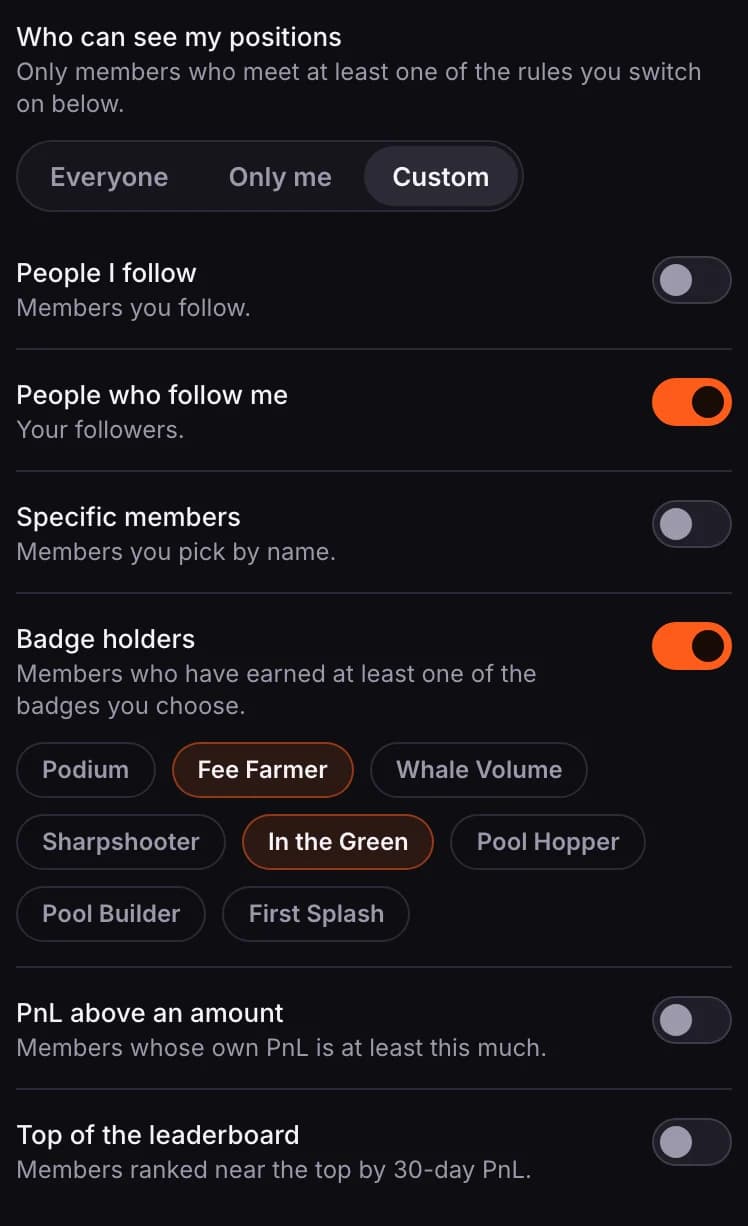
- People I follow and People who follow me.
- Specific members: search for members and add them by name.
- Badge holders: members who have earned at least one of the badges you pick.
- PnL above an amount: members whose own PnL is at least the amount you set, over the last 30 days or all time.
- Top of the leaderboard: members ranked in the top number you set by 30-day PnL.
- With Custom chosen and no rule switched on, only you can see your positions.
What other members see
A member who isn't let in sees a note on your profile in place of your positions. With Custom, the note lists your rules, so they know how to qualify.

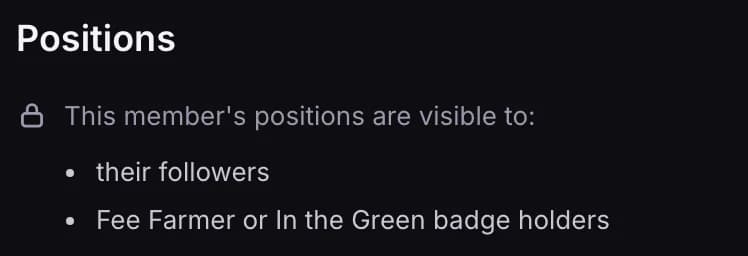
- Members you picked by name are never listed. The note only says "members they picked".
- Your leaderboard stats and rank, your Portfolio figures and your PnL calendar stay visible. This setting covers your open and closed positions.
- On your profile, members who can see your positions get rounded amounts, and times to the hour.
- Your wallet address is never shown to other members, whatever you choose.
Sharing on Poolside
In the same place, Share my opened/closed positions on Poolside posts your new opens and closes to the Poolside activity feed. It is off until you switch it on, never includes past positions, and only reaches the members your choice above lets in.